How Cairn Federal works: a tour of the whole system
The whole product in one read. How a single UEI sets up scoring, how the pipeline and the AI workflows carry a notice to a submitted proposal, and where a person stays in control at every step.
If you chase federal contracts or grants at a small company, you know the routine. Somebody scrolls SAM.gov by hand. Opportunities live in a spreadsheet. The solicitation is a dense PDF with the requirements scattered through it, and the deadline math happens in someone's head.
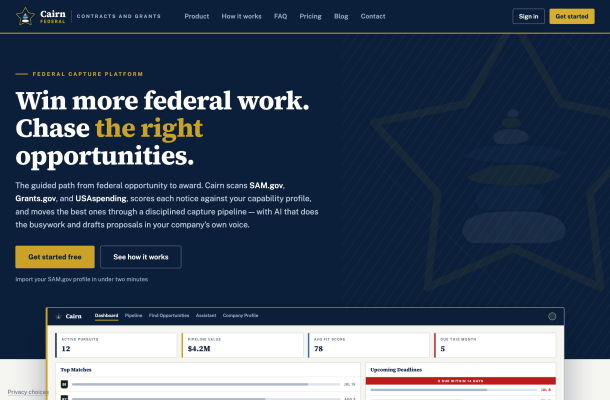
I built Cairn Federal to replace that routine, and this post is the overview of how the whole system works. It scans SAM.gov, Grants.gov, and USAspending, scores every notice against what your company can actually do, and carries the ones worth chasing all the way to a submitted proposal. It covers contracts and grants both, so a nonprofit or university pursuing Grants.gov funding gets the same pipeline discipline as a contractor. The Starter tier is free.
What follows walks through the product in the order you'd use it: set up the company profile, find and score opportunities, work the pipeline, draft with AI, and assemble the submission. When you want more detail on a stage, the other posts here go deeper: getting started, the company profile and SAM.gov, working the capture pipeline, and the proposal writer in part 1 and part 2.
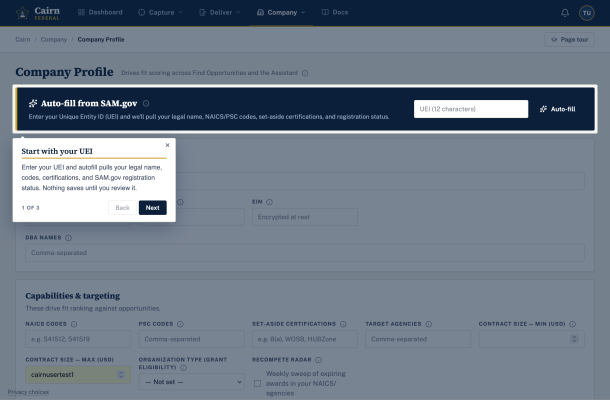
Setup takes one UEI
Enter your Unique Entity ID and Cairn Federal pulls your SAM.gov registration, CAGE code, NAICS codes, and set-aside certifications. That profile is what every score is ranked against.
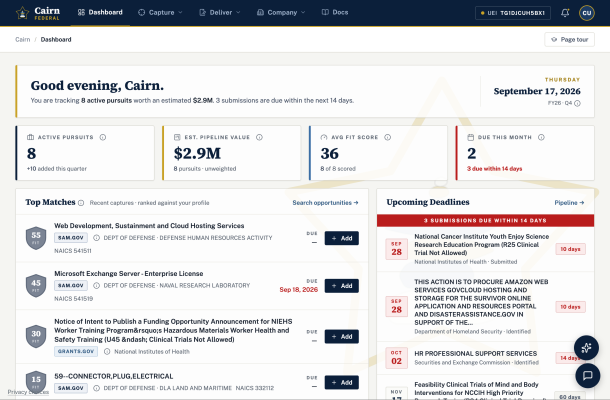
Every notice gets a fit score, and you can see why
Search covers SAM.gov and Grants.gov in one pass. The APIs provided by SAM.gov and Grants.gov are MCP wrapped to provide efficient AI searching. Each result gets a fit score from 0 to 100 against your company profile, NAICS codes, target agencies, and capability narrative, with the reasons spelled out on the card instead of hidden inside a model. If a high-scoring notice requires a certification you don't hold, it's flagged ineligible rather than quietly ranked. The more details in your company profile the better for the AI to determine your fit score.

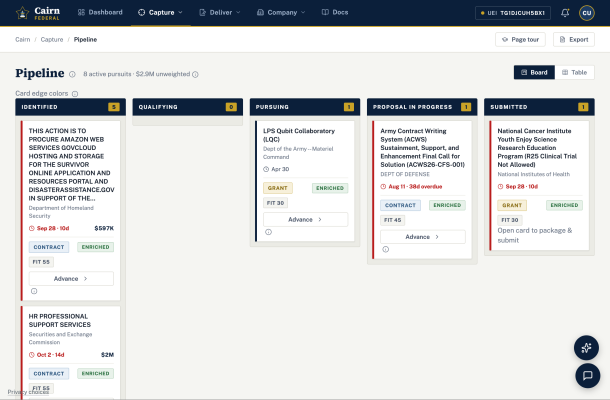
A pipeline with gates
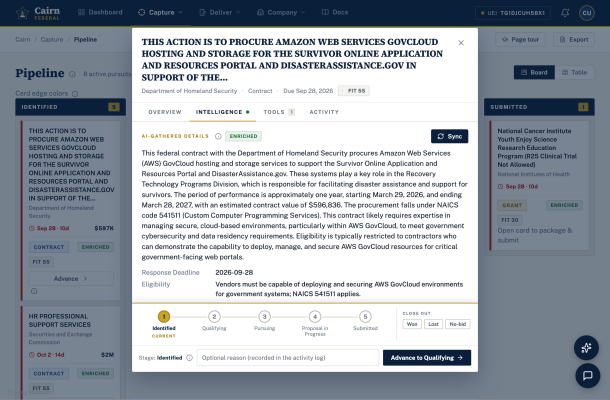
When you add a notice, an AI pass reads it and its attachments and writes up the deadline, eligibility, estimated value, and summaries attached documents and stake holders so you can decide whether it's worth a look without opening the PDF. Pursuits move through a kanban board from Identified to Submitted, with bid/no-bid gate reviews and a win-probability score that shows its math.
My favorite feature sits a step before the notice even exists. Most federal work is already being done by somebody, so Recompete Radar sweeps USAspending every week for awards in your space that are approaching the end of their term, names the incumbent, and scores the relevance. You get to position for the follow-on before the solicitation drops.
The AI drafts. You approve.
The AI runs on LangGraph workflows, and the showpiece is the solicitation shred. Upload the RFP or funding notice, and a workflow splits it into chunks, extracts every requirement in parallel, works out whether it's reading a contract or a grant, and proposes a section outline. Then it stops. A person approves, edits, or rejects that outline before a single word of proposal gets written, and the whole run streams on screen node by node so you can watch it work.
Other AI workflows draft individual sections from your approved past performance and content library, run the weekly recompete sweep, and pull award history from USAspending into bid/no-bid scorecards as suggested justifications waiting for your sign-off. There's also a chat assistant with 44 MCP tools that can read and act across the whole app.
AI uses attached documents for two jobs
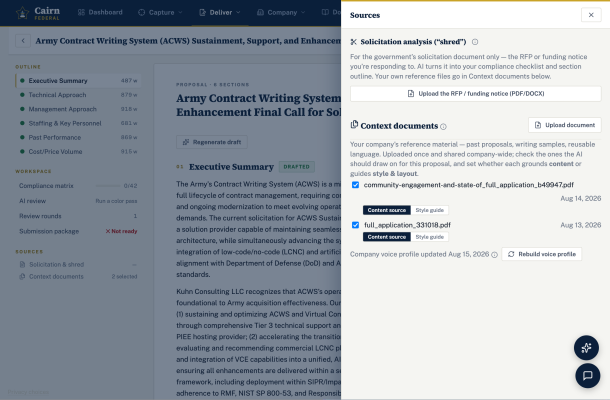
Every document you attach to a pursuit gets one of two roles. Content source material: the AI draws capabilities and evidence from it.
Writing style and tone context: the AI matches its tone, structure, and formatting but is told never to treat it as a content source of facts.
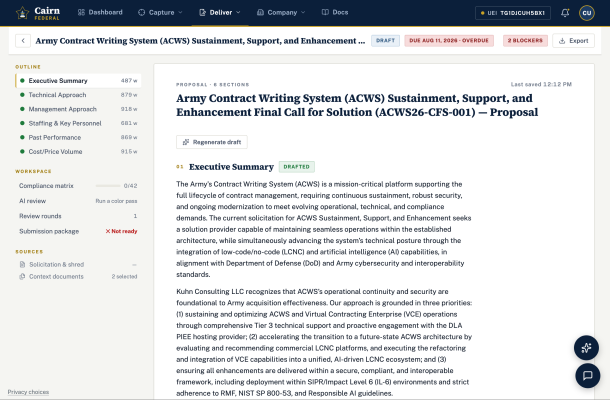
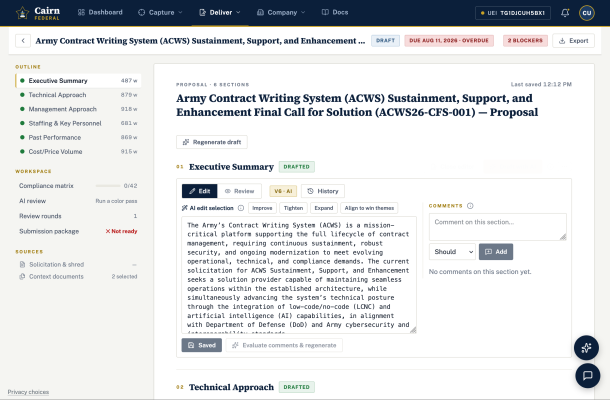
On top of that sits the voice profile. Upload a few past proposals once, and Cairn Federal distills how your company writes: tone, sentence rhythm, structural habits, preferred terms, and what to avoid. Drafts mirror that profile. It's style only by design, so the AI never copies facts or client names out of your samples. Even the AI review rounds know the profile exists, so they don't flag the phrasing the writer was told to adopt.
Nothing ships until the checklist is clear
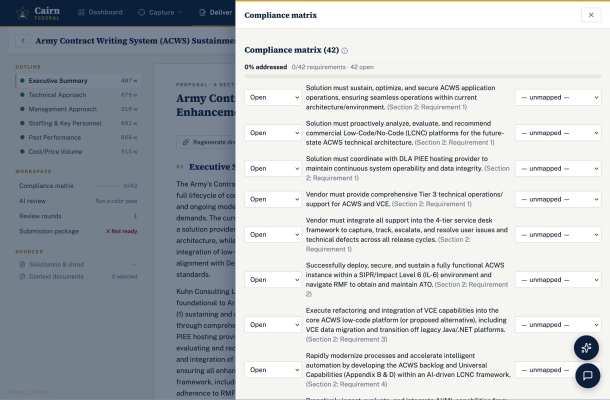
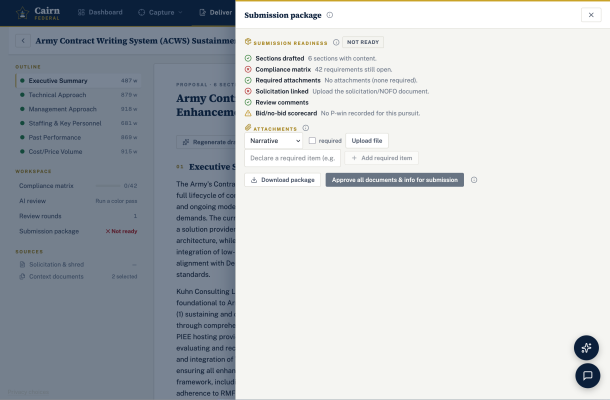
The back half of the workspace is a compliance matrix built from the shred, color-team review rounds, and a submission package that bundles the proposal as Word and PDF with the checklist and cover sheet. A readiness check blocks the package until open compliance items and must-fix comments are resolved.
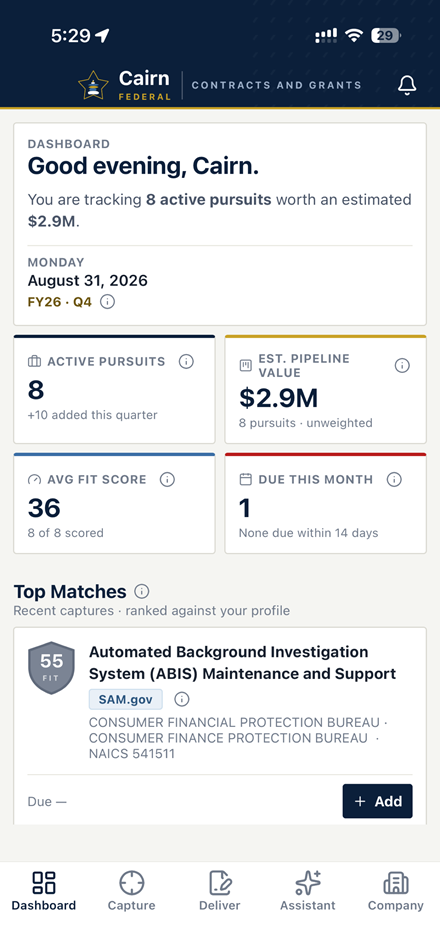
There's an iPhone app too, included with every account.
How it's built
Under the hood it's a .NET 10 API, a React web app, and a React Native mobile app sharing one framework, so the search and pipeline logic on your phone is literally the same code as on the web. It runs on a self-hosted Kubernetes cluster.
The main reason a product this size was built quickly is Wildwood, my SaaS backend for building and managing apps. Cairn Federal gets all of this from the Wildwood platform: user management, feature and limits management, cookie consent and disclaimer management, payment processing and subscription management, file and document management on AWS S3, and AI Chat and AI Flows running on LangGraph. With Wildwood handling all that I could concentrate on Cairn functionality.
If you pursue federal contracts or grants, try it free. The Starter tier is free, and the fit-ranked search alone will tell you whether it earns a place in your week.
And if you're wondering what it takes to get an app like this built for your own business, that's the work I do at Kuhn Consulting: idea to live, hosted software. Or just get in touch.
Questions people ask
What does Cairn Federal search?
Cairn Federal searches SAM.gov contract opportunities and Grants.gov funding opportunities in one pass, and sweeps USAspending every week for awards nearing the end of their term through Recompete Radar.
Does the AI write and submit proposals on its own?
No. The solicitation shred proposes a section outline and then stops until a person approves, edits, or rejects it, and a readiness check blocks the submission package until open compliance items and must-fix comments are resolved.
Is there a free plan?
Yes. The Starter tier is free, and the fit-ranked search alone will tell you whether Cairn Federal earns a place in your week. The iPhone app is included with every account.